
MySubaru
Mobile - Subaru Of AmericaAuto & Vehicles
4.77.31K Reviews
- Version
- 3.7.1
- Installs
- 1.00M
- Age Rating
- Everyone
Screenshots

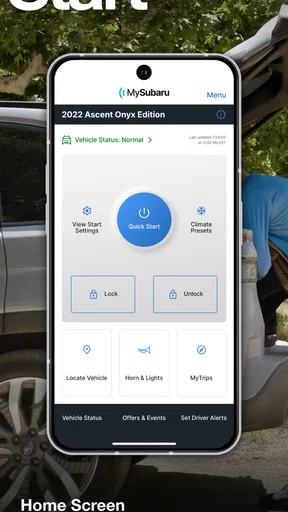
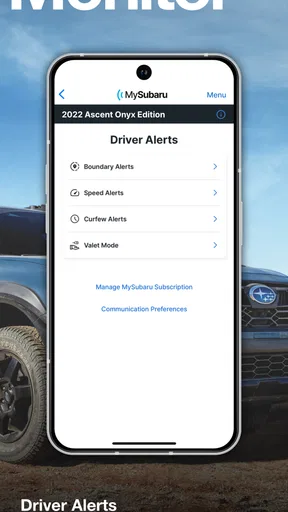
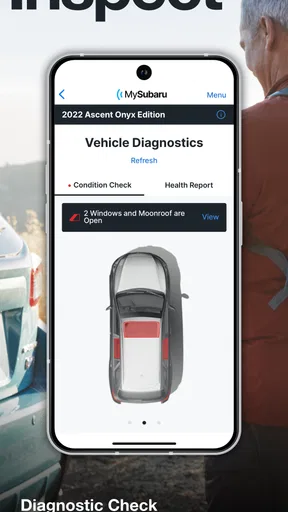
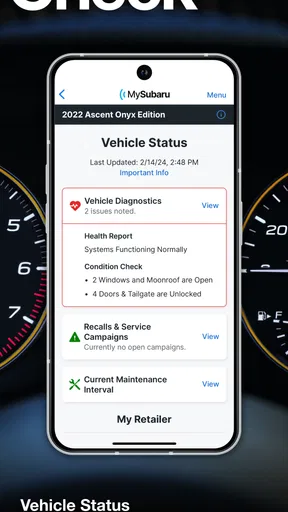
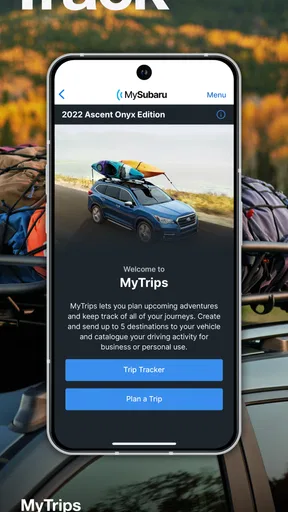
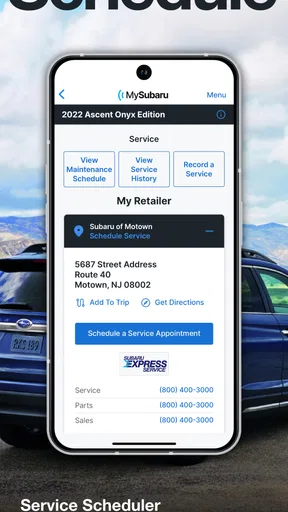
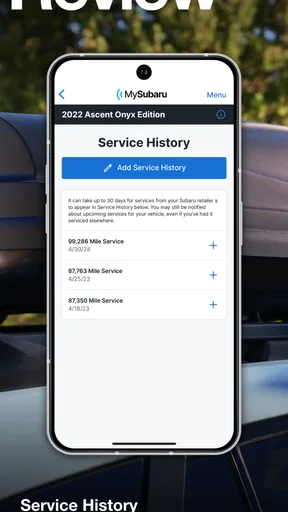
Our Review of MySubaru
 Analysis by Appyee
Owning a Subaru often means juggling small jobs that are easy to forget: checking vehicle information, arranging service, finding help when something unexpected happens, and keeping track of the relationship between you, your car, and the dealership. MySubaru is built around that ownership workflow rather than trying to replace every driving app on your phone. I found it most useful when I treated it as a central place for Subaru-related tasks, not as a general navigation or automotive toolbox.
That distinction matters. The app is free, aimed at everyone, and developed by Mobile - Subaru Of America. It has built a substantial user base, with more than a million installs and an average rating of 4.7 from roughly 92 thousand ratings. Those figures suggest that the basic ownership concept works for many drivers, but they do not mean every part of the experience will suit every Subaru owner. The value depends heavily on your vehicle, your dealership relationship, and how often you prefer to manage car tasks from a phone.
From a car problem to a completed ownership task
I focus on the point where a car issue becomes a concrete ownership task: MySubaru can help me get oriented, but I still need to carry the important details through to whoever handles the next step. Before opening a service or support route, I’d jot down when the problem began and what changed, so I can explain it clearly even if the handoff is imperfect. That practical preparation leads naturally to the question of how smoothly the app fits into a busy day.
Starting with the right expectation
My first useful adjustment was deciding what I wanted from MySubaru before opening it. If I needed turn-by-turn directions, a broad fuel-price comparison, or a complete maintenance log for several vehicle brands, I would choose a different type of app. This one makes more sense when the starting condition is specifically Subaru ownership: I have a Subaru, I want to connect it with the official ownership experience, and I would rather not search through unrelated websites or paperwork every time I need help.
The app belongs in the Auto & Vehicles category, and that description is accurate. It feels like a companion for the period between buying a car and living with it day after day. The strongest use cases are practical rather than entertaining: preparing for service, checking ownership-related information, and reaching the appropriate Subaru channel when a question becomes too specific for a general automotive app.
Before relying on it for an urgent situation, I would set it up while the car is parked and I have time to read each screen. That is a small but important habit. Vehicle apps can involve account details, vehicle identification, dealership choices, and communication steps. Completing those calmly is much easier than trying to establish everything beside a roadside problem or while rushing to an appointment.
The setup is more than downloading an app
Installing MySubaru is only the first handoff. The next one is between the app and your Subaru ownership details. I would keep the information associated with the vehicle close at hand and make sure the selected vehicle is the one I actually intend to manage. If a household has more than one Subaru, this check becomes especially important because a service request or vehicle detail is only useful when it is attached to the correct car.
This is one of the less obvious workflow lessons: the quality of the result depends on the accuracy of the ownership setup. A beautifully designed screen cannot compensate for choosing the wrong vehicle or leaving account details unfinished. I recommend treating the initial setup like labeling a folder. Do it carefully once, then the later tasks become easier to understand.
MySubaru comes from Mobile - Subaru Of America, which gives the app a different role from an independent maintenance tracker. An independent app may be better if you want to record oil changes, tire rotations, and repairs for cars from several manufacturers in one place. The official app is more compelling when you want Subaru-specific context and a direct path into the brand’s ownership process.
Following the task from request to handoff
Once the account and vehicle are ready, I would begin with one clear task rather than browsing every available area. For example, imagine that my Subaru is approaching a scheduled service visit. My practical workflow would be to open the app, confirm the vehicle, review the relevant ownership or service area, and continue toward the dealership or support step that matches the job. The important point is not simply finding a button; it is keeping the vehicle, the request, and the destination aligned.
That process can save time compared with starting from a search engine. A web search may return general maintenance articles, third-party garages, old forum discussions, and dealership pages that do not match my location. MySubaru narrows the starting point to the Subaru relationship. I still need to read the details and make the final decision, but I spend less time deciding which source is official.
There is a useful trade-off here. The app’s focused nature reduces searching inside the Subaru ecosystem, but it also means that it is not a complete replacement for every tool involved in car ownership. I might still use a calendar for the appointment, a maps app for the journey, and a notes app for questions I want to ask a technician. MySubaru works best as the first stop and the ownership context, not necessarily the only app open from beginning to end.
A realistic service-day example
Consider a weekday morning when I notice a warning light or realize that regular maintenance is due. I would not wait until I was already driving. While parked, I would open MySubaru, verify the vehicle, gather the information I need, and move through the appropriate service or assistance route. If the next step involves a dealership, I would use the app to make that handoff more organized, then save the appointment time separately so it does not disappear into an app screen.
At the dealership, the advantage is continuity. I can arrive knowing which vehicle I selected and what prompted the request. That does not guarantee a faster repair or eliminate the need to explain the symptom. It does reduce the chance that I begin with a completely blank conversation. I would still describe when the issue appeared, what the car was doing, and whether the warning returned after restarting. The app supports the handoff; it does not replace a careful driver’s description.
After the visit, I would use the app as a reference point for the next ownership step, while keeping invoices and detailed repair notes elsewhere if I need a long-term personal record. This is a concrete limitation that is easy to overlook: an official companion can be convenient without being the best archival system. Drivers who want a permanent, brand-neutral maintenance history may prefer a dedicated logbook app or a spreadsheet alongside it.
Where the handoffs can become frustrating
The most important handoff is not between two screens. It is between software and people. A request may begin in MySubaru and end with a dealership, service adviser, roadside contact, or another Subaru support channel. Each transition creates a chance for duplicated questions, delays, or details that do not carry over exactly as I expected. I would therefore keep the essential information ready: the vehicle identity, the problem in plain language, when it began, and what outcome I want.
This approach also helps when the app is not the fastest route. If I am in immediate danger, blocking traffic, or dealing with a serious roadside emergency, I would prioritize emergency services or the appropriate urgent assistance channel rather than experimenting with menus. MySubaru can be useful in a roadside workflow, but a phone-based ownership app should not be treated as a substitute for emergency judgment.
Another possible friction point is dealership dependence. A general automotive app can send me toward a wider range of service providers, while MySubaru keeps the experience closer to Subaru’s network. That is a benefit if I value brand familiarity or want a Subaru-centered conversation. It is less attractive if my trusted independent mechanic is closer, cheaper, or better suited to a particular repair. In that situation, I may still use MySubaru for vehicle-related information while handling the actual appointment outside it.
What the app does well in daily ownership
My strongest impression is that MySubaru reduces the mental distance between “I need to deal with my car” and “I know where to start.” That sounds modest, but it matters. Car ownership contains many low-frequency tasks, and the official app gives those tasks a recognizable home. I do not have to remember which generic automotive service I used last time just to begin looking for Subaru-specific help.
The app also benefits drivers who are not confident with automotive terminology. Instead of beginning with a technical search, I can start from the vehicle relationship and describe the practical situation. That makes it a reasonable choice for a new owner, a family member who shares access to the car, or anyone who prefers guided ownership tools over manuals and forum threads.
Its audience rating of Everyone reinforces that broad positioning. I would still expect the usefulness to vary by age, technical confidence, and vehicle arrangement, but the app is not presented as a specialist diagnostic instrument. It is approachable enough for ordinary ownership tasks, provided I slow down when a screen asks me to confirm an important detail.
Where another app is the better choice
I would skip MySubaru as my main automotive app if I do not own a Subaru or if I regularly manage vehicles from different manufacturers. The official focus is precisely what makes it less flexible for a mixed household. A brand-neutral maintenance tracker would be more practical for comparing service histories, costs, and reminders across several cars.
I would also choose a dedicated navigation app for route planning, traffic conditions, saved places, and day-to-day driving directions. Likewise, a specialized roadside service may be more suitable if I already have a preferred provider and want one consistent emergency workflow for every vehicle. MySubaru is not weakened by those alternatives; it simply serves a narrower purpose.
Drivers who dislike account-based services or who rarely use smartphone tools may find the setup effort unnecessary. If I only need a printed manual, a trusted mechanic, and a calendar reminder, adding an official app may create another place to maintain. The best reason to install it is not curiosity. It is a recurring need for Subaru-centered ownership support.
Version, cost, and the practical decision
MySubaru is free, and the current version is 3.5.1. It was released on June 23, 2015, so this is an established app rather than a brand-new experiment. It requires OS 10 or later, a detail worth checking before installation, especially on an older phone. For most eligible users, the lack of an upfront price makes it easy to test without committing money, but free does not mean frictionless: setup, account access, vehicle selection, and handoffs still require attention.
I would install it before I need it, complete the basic vehicle connection, and then test the path to the information or service area I expect to use. That small rehearsal reveals whether the app fits my ownership situation. It is much more useful than waiting for a warning light and discovering that I still need to finish the first setup step.
My final outcome after using the workflow
MySubaru succeeds when the desired outcome is a cleaner Subaru ownership process. I can begin with a vehicle-specific need, move through an official starting point, hand the next step to the right Subaru contact, and keep my own notes ready for anything the app does not carry forward. That is a sensible workflow, especially for drivers who want less searching and more structure.
My recommendation is therefore conditional but positive. If you own a Subaru and want a free, official companion for recurring ownership tasks, I think it is worth installing and configuring while everything is calm. The strong rating and large install base reflect real usefulness, but the app is not a universal replacement for navigation, emergency services, independent repair records, or brand-neutral car management.
MySubaru is at its best as the first organized step, not the entire journey. Use it to establish the vehicle context, prepare a clear handoff, and reach the appropriate Subaru channel. Keep a separate calendar, route planner, or maintenance archive when those tools do a better job. With that realistic expectation, the app can turn scattered car-owner chores into a more manageable routine; without it, the extra setup may feel like one more task rather than a shortcut.
Privacy and Permissions
See what permissions an app requests and how it handles your data.
- Calendar
- read calendar events plus confidential information, add or modify calendar events and send email to guests without owners' knowledge
- Location
- precise location (GPS and network-based)
- Photos/Media/Files
- read the contents of your USB storage, modify or delete the contents of your USB storage
- Storage
- read the contents of your USB storage, modify or delete the contents of your USB storage
- Wi-Fi connection information
- view Wi-Fi connections
- Other
- view network connections, full network access, run at startup, draw over other apps, prevent device from sleeping
Verdict
Strengths of MySubaru
- Remote vehicle controls are convenient for checking status or starting the car.
- Maintenance reminders help owners keep track of scheduled service needs.
- Roadside assistance details are easy to access when help is needed.
- Vehicle manuals and warranty information can be found in one place.
- Dealer locator makes finding nearby Subaru service centers straightforward.
Limitations of MySubaru
- Many features require an eligible, connected Subaru model and active subscription.
- Remote commands may respond slowly when cellular coverage is weak.
- The app can use noticeable battery and background data while enabled.
- Some functions vary by vehicle trim, model year, and regional availability.
- Account setup and vehicle verification may take several steps to complete.
Similar Picks in This Category
View All
Android Auto
Google LLC4.1

maxim — order a taxi & food
PT. SITO4.7

Штрафы ГИБДД: проверка с фото
Pays LLC – Штрафы ГИБДД4.7

Номерограм – проверка авто
Авто Ассист4.8

Дром Авто
Дром4.9

Frequently Asked Questions
What is the MySubaru app used for?
MySubaru is Subaru’s official mobile companion for vehicle owners. After signing in and linking an eligible Subaru, you can review vehicle information, schedule or request service, find retailers, check maintenance details, contact roadside assistance, and access selected connected-car features. The exact tools available depend on your Subaru model, model year, trim level, region, and active services.
Can I use MySubaru with any Subaru vehicle?
Not every feature works with every Subaru. Basic account and vehicle information may be available for many supported models, while remote commands, vehicle location, diagnostic notifications, and other connected services generally require a compatible vehicle and an active subscription or trial. Before downloading, check Subaru’s official compatibility information and confirm that your vehicle identification details match your account.
Does MySubaru require a subscription or payment?
Downloading MySubaru is generally free, but some connected features may require an eligible subscription, an active trial, or a compatible Subaru service plan. Remote start, locking or unlocking, vehicle status, location tools, and safety assistance can vary by model and market. Cellular coverage and service availability may also affect how reliably these features work.
Is MySubaru useful for scheduling maintenance and contacting a dealer?
Yes. The app can make routine ownership tasks more convenient by helping you locate a Subaru retailer, view service-related information, and in supported areas request or manage appointments. Availability may differ between dealers, so the app should not be treated as a replacement for confirming an appointment directly. Always follow the maintenance schedule in your owner’s documentation.
What should I do if MySubaru cannot connect to my vehicle?
First, confirm that you are using the current app version, have a stable internet connection, and are signed in to the correct Subaru account. Verify that the vehicle is properly linked and that connected services are active. Closing and reopening the app or signing out and back in may help. If problems continue, contact Subaru customer support or your local retailer.
